Porn Scam Email Uses Your Hacked Passwords

Here’s a new scam that’s been floating around recently, but the new twist makes it more believable. I’m pasting the contents of an actual email with the user’s password redacted. (Typos and poor English in tact)

I am aware, <substitute password formerly used by recipient here>, is your password. You may not know me and you are most likely thinking why you’re getting this email, correct?

actually, I setup a malware on the adult video clips (sexually graphic) web site and guess what, you visited this web site to have fun (you know what I mean). While you were watching video clips, your internet browser initiated functioning as a RDP (Remote Desktop) with a key logger which provided me access to your display screen as well as web cam. Just after that, my software program gathered your complete contacts from your Messenger, social networks, and email.

What did I do?

I created a double-screen video. First part displays the video you were watching (you have a fine taste : )), and 2nd part displays the recording of your webcam.

exactly what should you do?

Well, I believe, $1900 is a reasonable price for our little secret. You’ll make the payment through Bitcoin (if you do not know this, search “how to buy bitcoin” in Google).

BTC Address: 1JHwenDp9A98XdjfYkHKyiE3R99Q72K9X4
(It is cAsE sensitive, so copy and paste it)

Note:

You have one day in order to make the payment. (I have a specific pixel in this email message, and at this moment I know that you have read this mail). If I do not get the BitCoins, I will, no doubt send out your video recording to all of your contacts including members of your family, colleagues, and many others. However, if I receive the payment, I will destroy the video immidiately. If you need evidence, reply with “Yes!” and I will send out your video to your 5 contacts. It’s a non-negotiable offer, that being said please do not waste my time and yours by replying to this mail.

This is considered a sextortion scam by the FBI, and that tells us it’s not really anything new. There’s a possibility your computer could have malware… sure. However, this email shows up on computers that are clean, and have never visited a porn site. These guys are just betting that you did something online that you wouldn’t be proud of – or want your contacts to know about. One of the largest porn websites reports 75 million visitors a day. So, you can see why they use this angle to scare you into paying them. The part that is new is that you may find one of your actual passwords in this email.

Let’s talk about the password. Should you be concerned? Yes, at least a little. Start by changing that password on any website you used it. Then take a deep breath and relax. Now, stop worrying. What’s going here is that one of your past / present passwords has been breached. Most likely you had to sign up on a website in the past and give a username / password to access their content etc. Time passes and they get hacked. Then your info shows up online, and these scammers use it against you.

You can check if your info has been part of a breach here: https://haveibeenpwned.com

I checked with my personal email account and my email address was found on 5 breached websites.

tl;dr What’s the point?

  1. Don’t use the same password everywhere. We all use just a few passwords. Try to use more. Consider a password manager like lastpass, dashlane, or 1password.
  2. Make use of 2 Factor Authentication like Google Authenticator or at least enable the “sms code” on your other accounts (Facebook, etc)
  3. In my opinion: keep your email account password and financial passwords different from your common ones you use elsewhere

Stay safe out there. Stay suspicious of everything online.

HP Battery Recall January 2017

HP urges customers to recheck their batteries, even if they did so previously, and were told they were not affected. However, original batteries replaced as part of the program announced in June 2016 are not affected by this program expansion.

In January 2017 HP announced an expansion of its ongoing worldwide voluntary safety recall and replacement program for certain notebook computer batteries, which was announced in June 2016. The program has been expanded to include additional batteries that were shipped with the same notebook products. These batteries have the potential to overheat, posing a fire and burn hazard to customers.The affected models include HP, Compaq, HP ProBook, HP ENVY, Compaq Presario, and HP Pavilion Notebook Computers. Some websites are reporting this recall to affect over 100,000 notebook batteries.

Please take the time to check if your battery is on the recall list. Visit HP’s recall site and follow the instructions found there. You can either download a utility that will check your system or you can check it manually yourself. If you battery is on the list, they recommend taking out the battery immediately and only working off external power until you get the replacement. Not all models are affected, but this is an expansion from an earlier recall back in June of 2016, so it’s worth checking again if you thought you were in the clear.

Here’s the link to the recall: HP Notebook Computer Battery Safety Recall and Replacement Program

Slow Down Before You Open That Email!

Ransomware is evil, and it could be lurking in the next email. This type of virus will infect your computer and encrypt your files. If that’s not enough, they will demand a large sum of money to unlock your files.

The most important thing to keep in mind is that you are the first line of defense!

Be Suspicious and Trust No One

Let’s make this simple, the bad guys know that the weakest link is you. They will attempt to social engineer you or bully you into opening an email that you should have deleted.

Continue reading

Tips to Spot a Phishing Email

Every day you get tons of email. If your email provider is any good, most of the junk gets caught by the SPAM filters. Even with the best of the best services, some junk can still get through. So, what’s the best way to protect yourself from getting phished? Wait, what’s phishing?

phish·ing
ˈfiSHiNG/
noun

the activity of defrauding an online account holder of financial information by posing as a legitimate company.
“phishing exercises in which criminals create replicas of commercial Web sites”

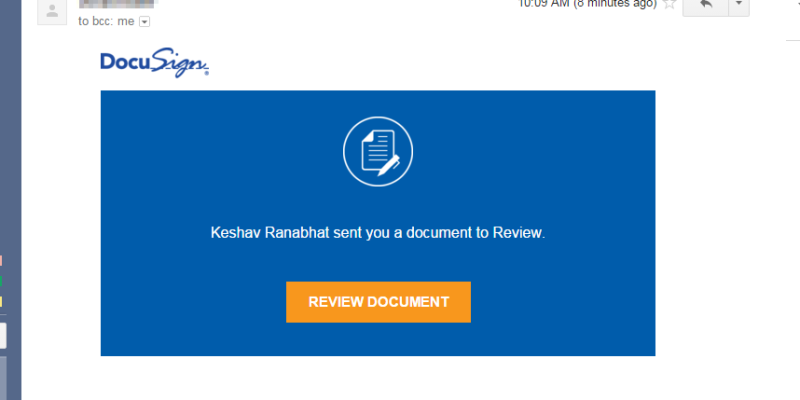
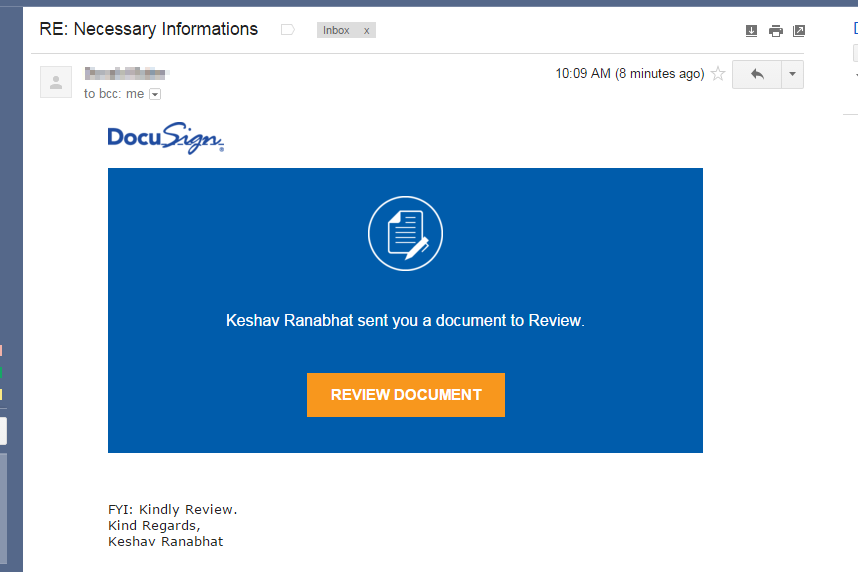
Ok, so back to the tips. How do you spot a fake email? I’ve made some screenshots from an email that I received. The email appeared to come from a friend, so he may have given his information out to the bad guys first.

Let’s look at the original email:

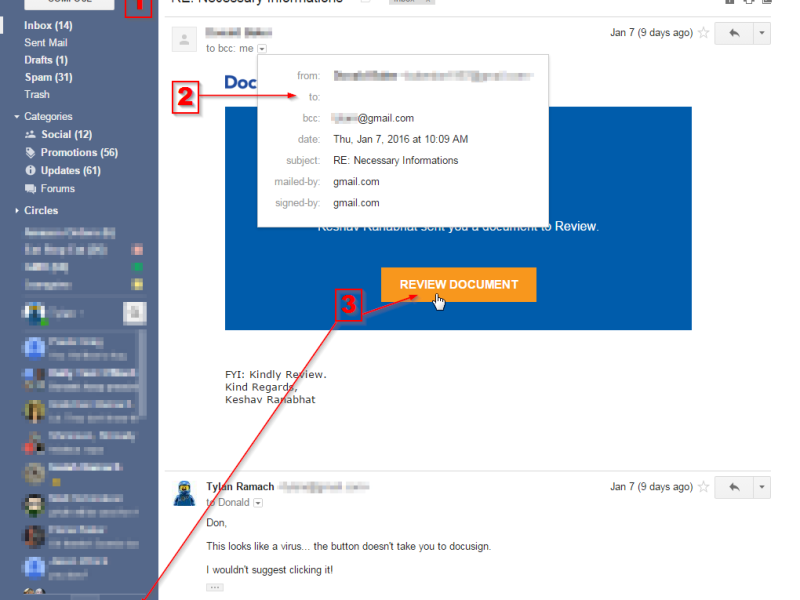
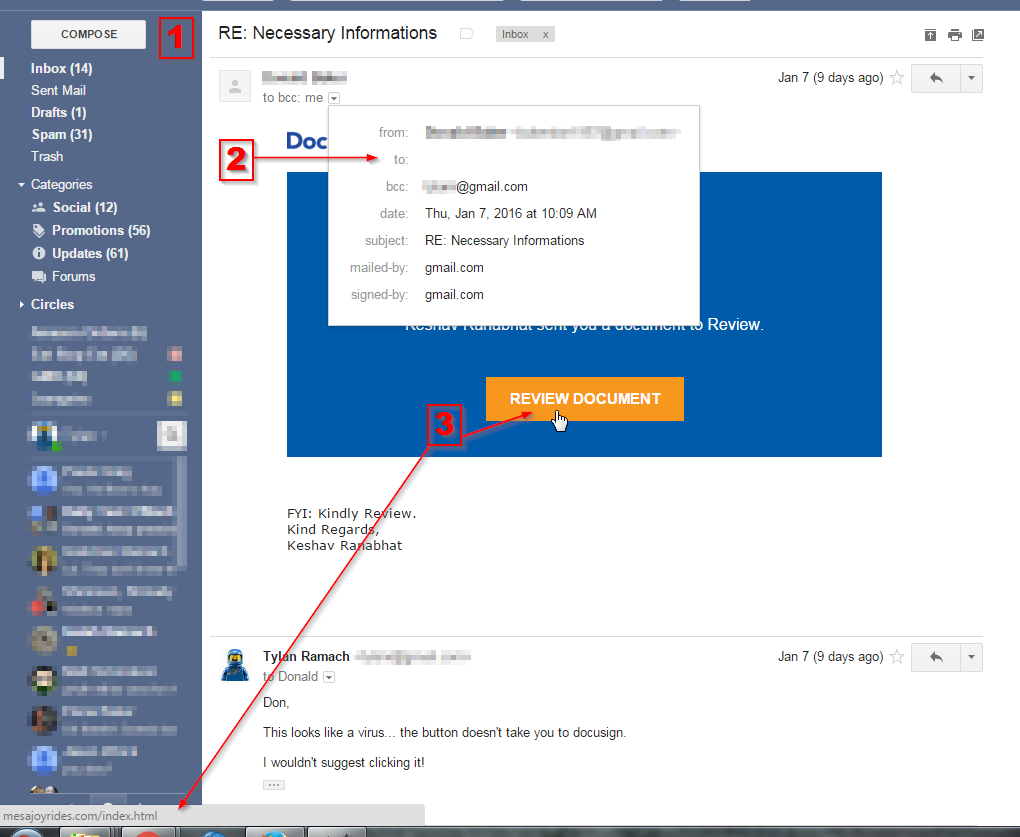
Here’s what is wrong (numbers match the picture):

  1. Look for spelling and grammar errors. Often times the bad guys don’t speak English as their native language. Spelling errors in phishing emails seem pretty common. “RE:Necessary Informations” sounds off to me. Red flag!
  2. View the details of the From, To, CC, BCC. In Gmail I clicked the show details drop down. I saw that my name was not in the to box. This tells me this is is probably SPAM or in this case something worse. Red Flag!
  3. Hover over buttons or links and see where your browser is going to take you. Don’t click! This message obviously is going to take me to a website that is different than what the message claims. Red Flag!

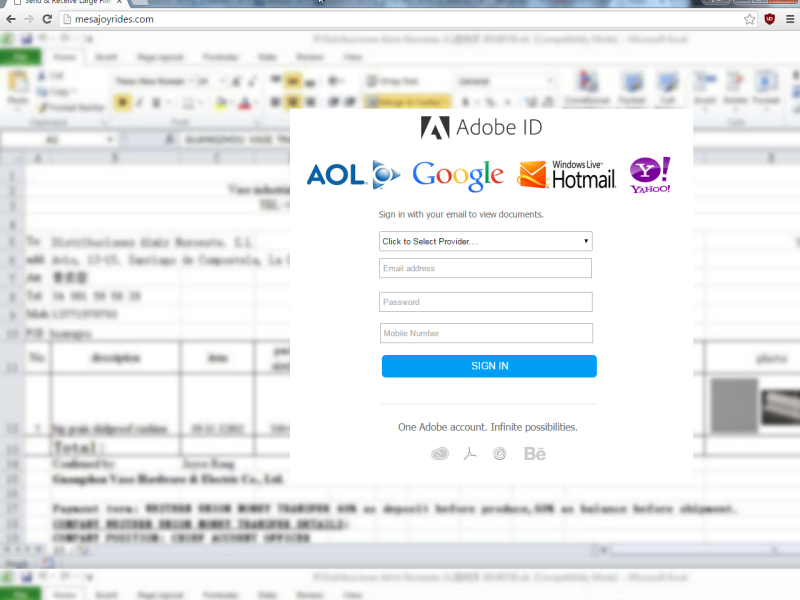
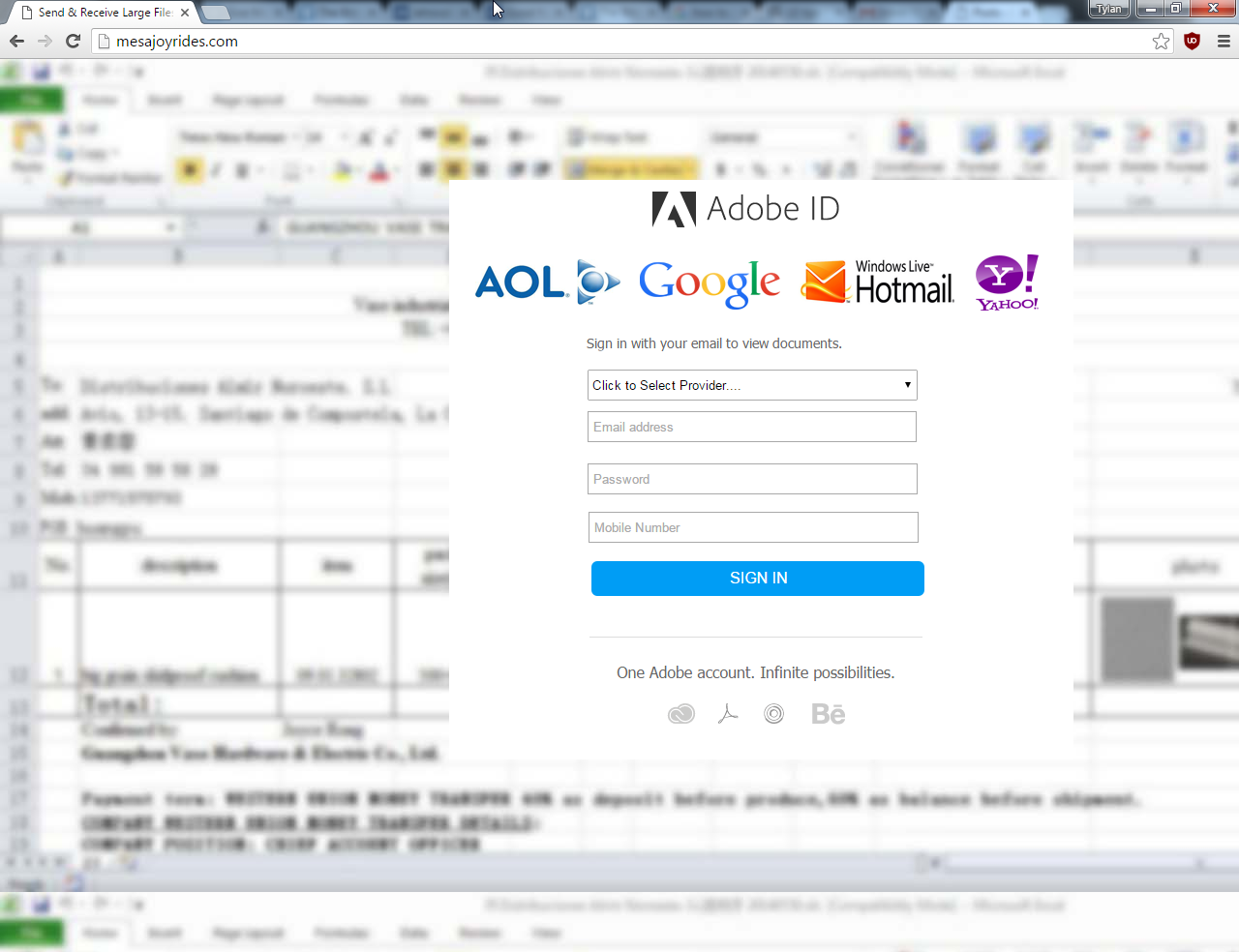
Where does the button take me?

I carefully copied the link and pasted just the domain portion. It takes me to a fake site that will gladly take any credentials – –  so I can get the precious document I didn’t know I needed. The big red flag at this point is that the site will take just about any password: Google, Yahoo, Adobe ID, Hotmail, AOL or even your mobile number.


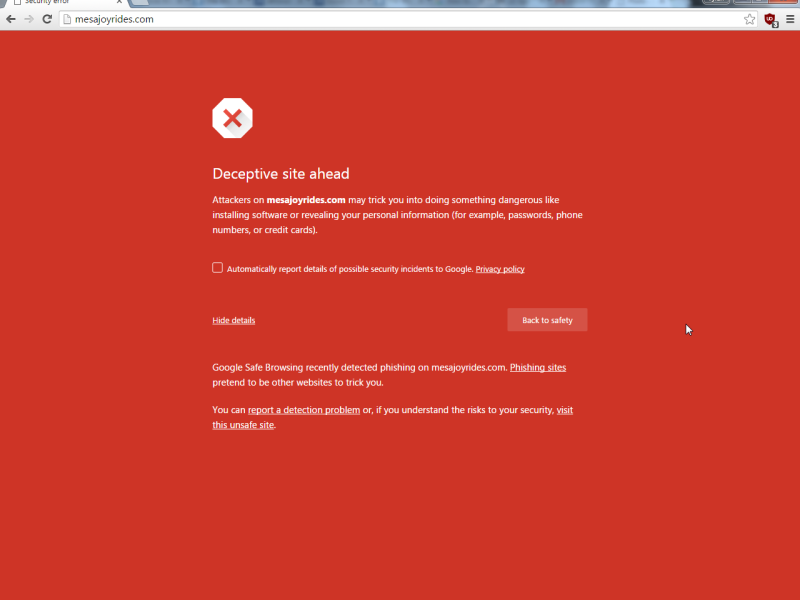
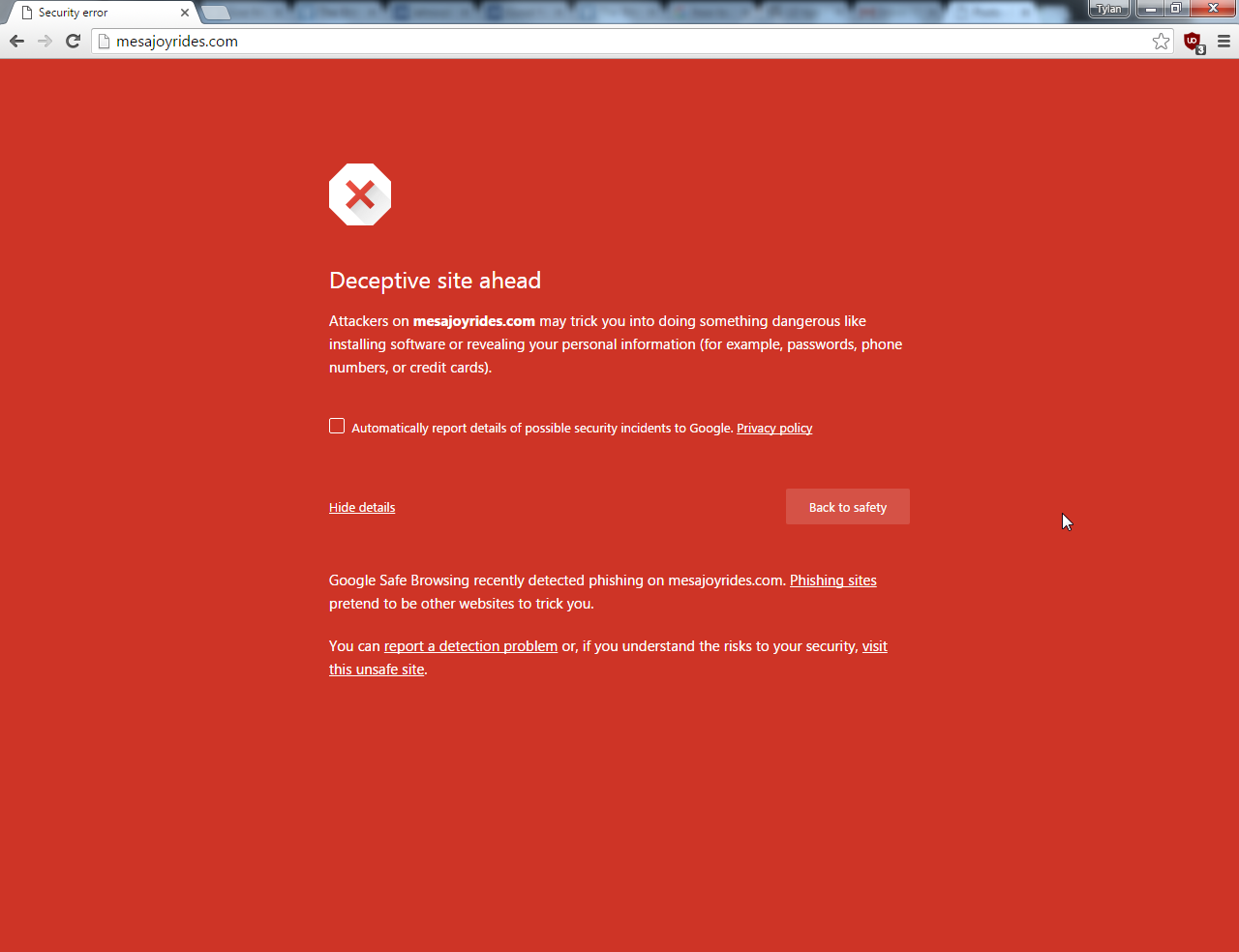
This is the site as of a week later:

I took the time to report the site to this page: Google Safe Browsing: Report a Malware Page. I also looked into who was the domain registrar. I reported the site to GoDaddy as well. I’m sure I wasn’t the only person to report this site.

What’s the moral of this story?

You are your own best defense. So, don’t rely on any one browser to keep you safe, don’t rely on your antivirus to catch everything.

  1. Don’t be quick to click! Take your time and read through the email to see if it is legit.
  2. Spelling and grammar errors are often a give away.
  3. View the details of the From, To, CC, BCC.
  4. Hover over buttons, but don’t click! If the URL doesn’t match the email, or looks “funny” don’t click it.
  5. Real emails never ask for personal information. Instead it will tell you to go to your account and make the updates.
  6. If the email claims to be someone you have an account with: open a new browser window and visit the site directly by typing the address and NOT clicking in the email.
  7. If it came unsolicited, be even more suspicious.
  8. If the email talks about a UPS or FedEx package… ask yourself the obvious question “What package?”
  9. If it threatens about taxes or claims to be a government agency, you know it’s junk. To the best of my knowledge the IRS and County Tax offices do not send emails about back taxes!
  10. Follow your gut instinct to delete it if anything doesn’t look right. If it was real, they’ll email you again.

You can sniff out a fake email! Don’t give away your personal information to criminals!

Stay safe, it’s a jungle out there.

DSI Tech Services Official Launch

DSI TECH SERVICES LAUNCHES, FOLLOWING IN DATALAN SYSTEMS FOOTSTEPS

DataLAN Systems, Inc. has been providing expert technical support and high quality computer systems for the past 15 years. DataLAN has developed a loyal customer base in the Johnstown, Altoona, Somerset, and surrounding areas. Due to a change in the DataLAN Systems ownership structure, that era has come to an end. However, that end is in name only.

On October 1, 2015 DSI Tech Services was formed to continue to provide the same managed services where DataLAN will leave off.  The new name showcases the fact that our on-site and remote tech services are second to none. Our Senior Technician and Managing Member, Tylan Ramach was at DataLAN on day one. He was also part owner of DataLAN Systems, Inc.

Managing Member Tylan Ramach said, “Over the years we have proven to work for the customers and always for their best interests. We have been diligent at providing top notch service to all of them. I’m excited to continue that tradition under the new name DSI Tech Services. I have always prided myself on having clients that would without a doubt recommend us. I guarantee that level of satisfaction will continue.”

All of the telephone numbers and email addresses you have will continue to work. All of the DataLAN Systems websites will redirect to DSITechServices.com

DSI Tech Services is a leader in managed IT services including computer systems, telephones, and network cabling in Johnstown and the surrounding areas.

For more information about DSI Tech Services, please visit www.dsitechservices.com

Contact:
Tylan Ramach
Managing Member
DSI Tech Services LLC
814-262-9693
.

Windows 10 Install Error 0x80070002

There are a lot of posts on this error message, but not many relating to a Windows 10 clean installation. This computer was all new hardware, and most importantly a new hard drive.

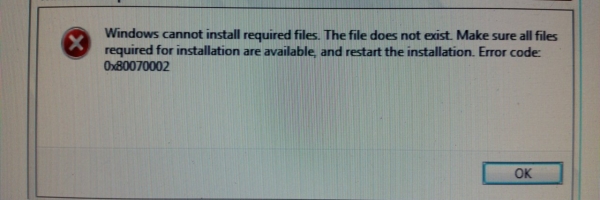
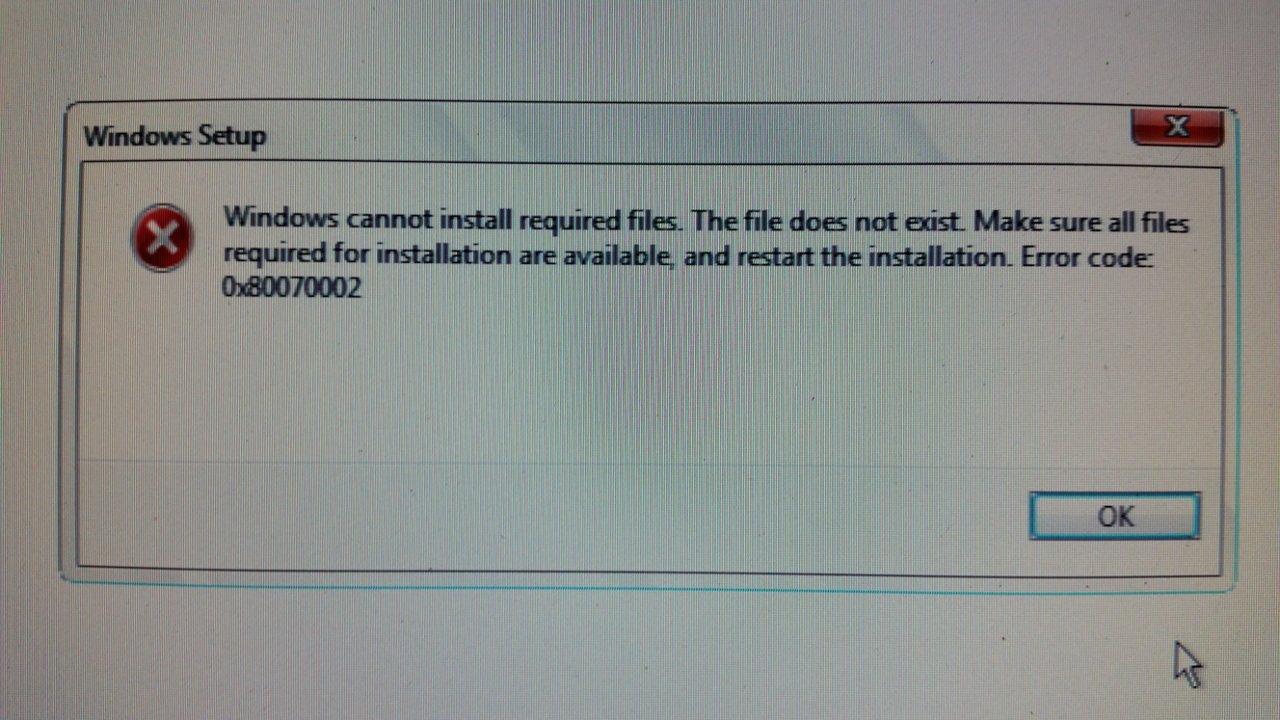
Windows cannot install required files. The files does not exist. Make sure all files required for installation are available, and restart the installation. Error code: 0x80070002

The message gives you an idea that it could be related to a drive that went offline or maybe scratched DVD. Here’s the problem, I wasn’t installing from DVD…

So, it seemed as though the media shouldn’t be the problem. I tried disconnecting any hardware that wasn’t essential, and I still got that crash at random points in the early part of Windows 10 installation. I read several different KB articles and Microsoft community posts and they mostly referred to Windows 10 upgrades.

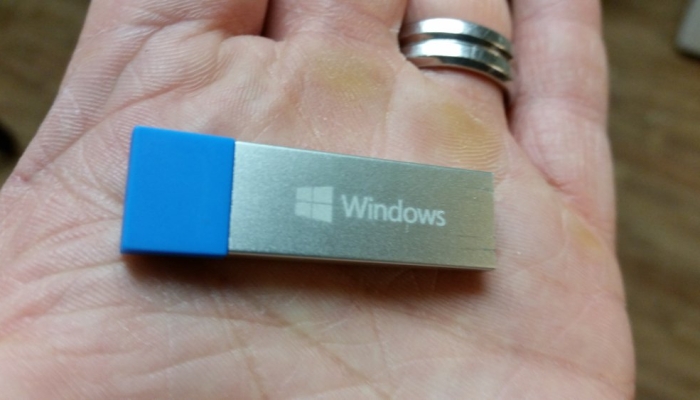
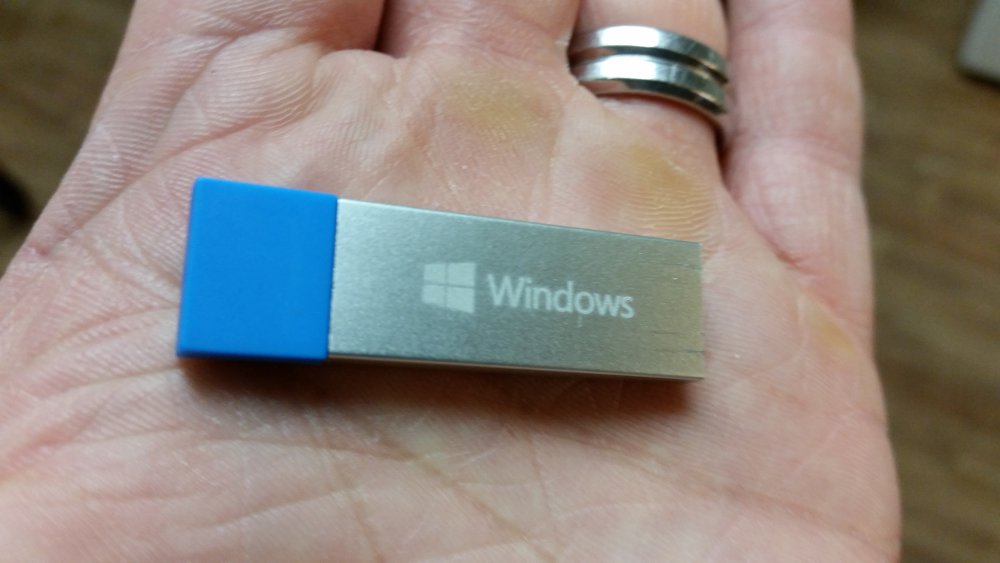
I ended up downloading Windows 10 and making my own installation media. I used my own USB flash drive, not the Microsoft one.

Here’s a link to the tool: https://www.microsoft.com/en-us/software-download/home

I would guess that the official Micorosft USB flash drive wasn’t defective as much as an old build of Windows 10. I’m guessing it’s close to the RTM version, not where we are a few months down the road.


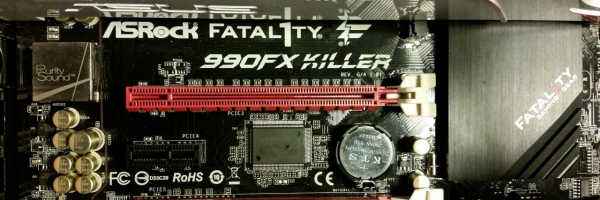
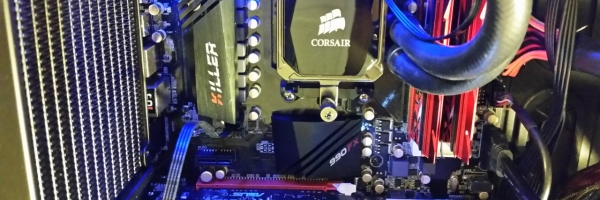
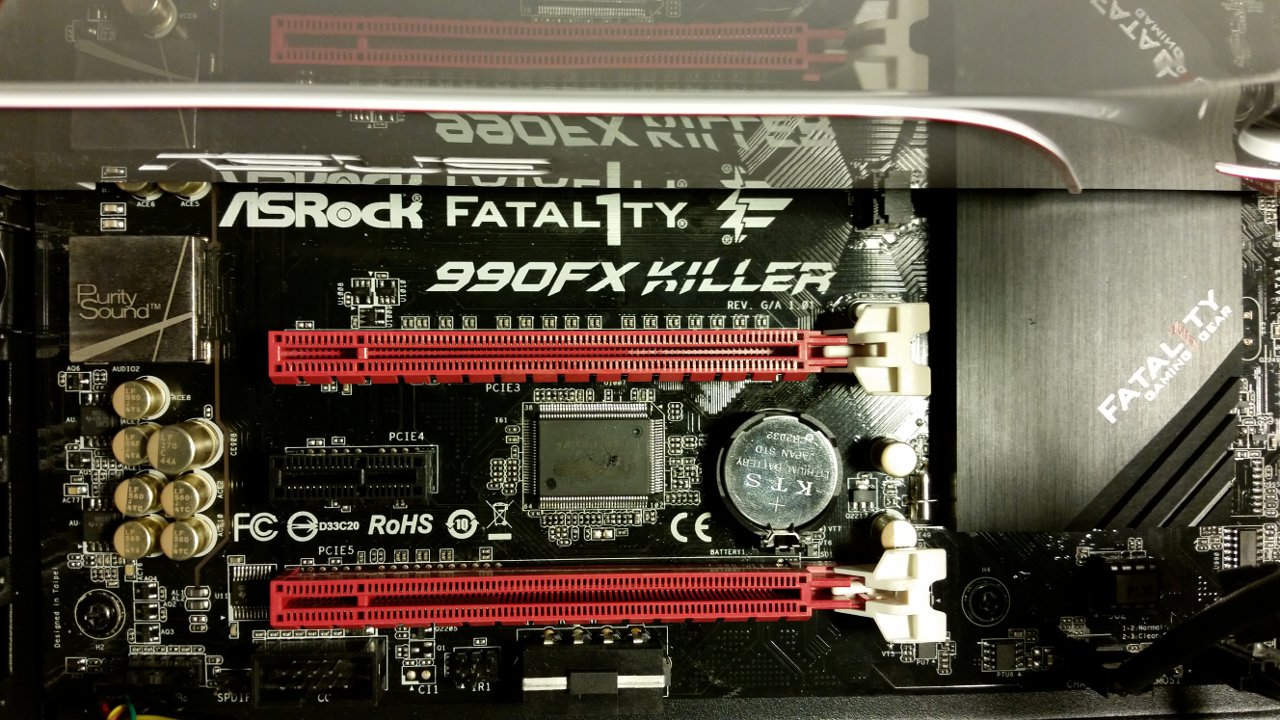
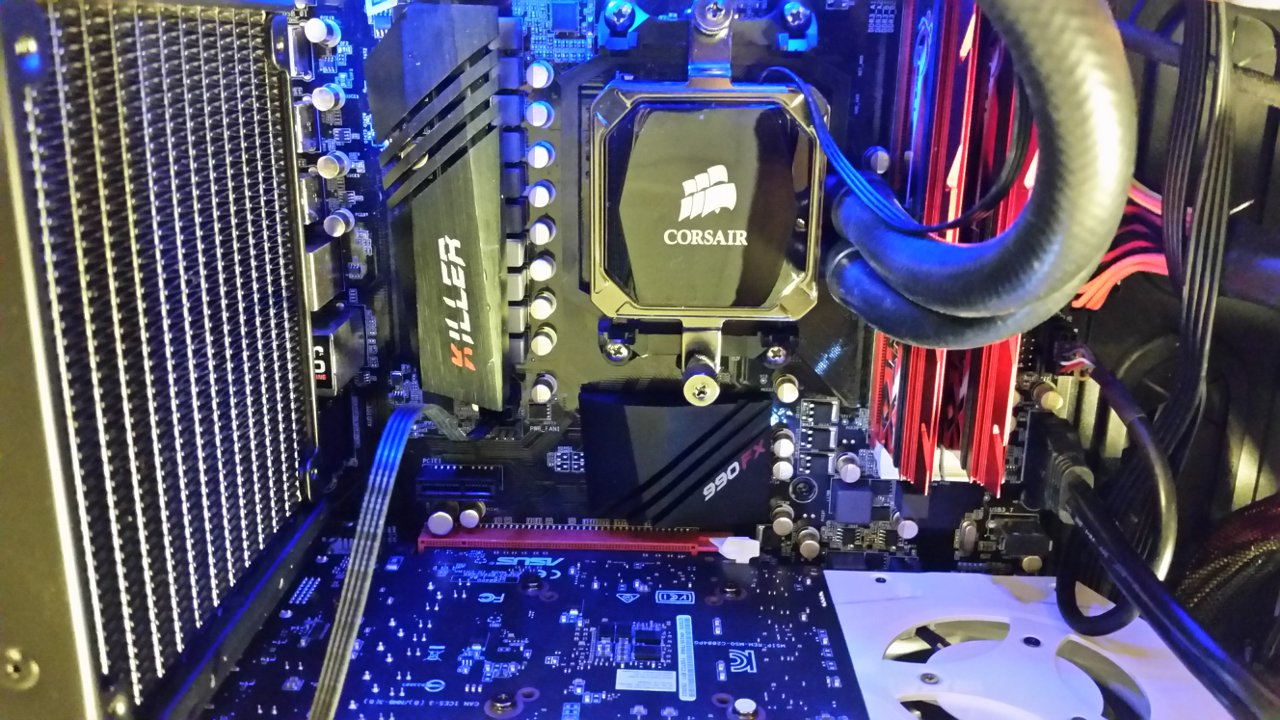
For what it’s worth, here’s the specs on the system I was working on (just in case someone else Googles this same error on the same hardware:

Motherboard:
990FX KILLER/A/ASRK
Part No: 90-MXGST0-A0UAY1Z

Processor: AMD FX 8350
Frequency: 4.0/4.2GHZ (Base/Overdrive)
Cores: 8
Cache: 8/8MB (L2/L3)
Socket Type: AM3+
Power Wattage: 125W
FD8350FRHKBOX

Memory: G.Skill TridentX F3-2400C10D-8GTX
DDR3-2400 CL10-12-12-31 1.65v
PC3-19200 4Gx2 Intel XMP Ready

Video:ASUS Turbo GeForce® GTX 970 graphics
TURBO-GTX970-0C-4GD5

Power: Corsair CS450M

Kaspersky Internet Security and IMAP

We ran into this really odd scenario not too long ago involving Outlook 2010 and Kaspersky Internet Security 2016

The user had constant hanging when opening Outlook. I went with standard troubleshooting, Outlook in safe mode and also a run of SCANPST. Outlook seemed better, then I rebooted and it seemed the mess started all over again. The customer noted that only about half of the IMAP folders were showing on the folder view on the left. Through troubleshooting I was able to determine that the issue was related to Kaspersky.

I dug through the Kaspersky forum and tons of blogs… Eventually I found the two settings that seemed to allow IMAP to work correctly:

  1. Disable the Anti-Spam setting
  2. Disable Advanced settings of mail anti-virus > Connectivity > disable Scan POP3, SMTP, NNTP, and IMAP traffic

Turning off these settings certainly made the IMAP work correctly. I would say this is a bug with KIS 2016. Keep in mind that changing these settings may lessen the effectiveness of KIS.

Hello world!

Welcome to WordPress. This is your first post. Edit or delete it, then start writing!