
Every day you get tons of email. If your email provider is any good, most of the junk gets caught by the SPAM filters. Even with the best of the best services, some junk can still get through. So, what’s the best way to protect yourself from getting phished? Wait, what’s phishing?
phish·ing
ˈfiSHiNG/
nounthe activity of defrauding an online account holder of financial information by posing as a legitimate company.
“phishing exercises in which criminals create replicas of commercial Web sites”
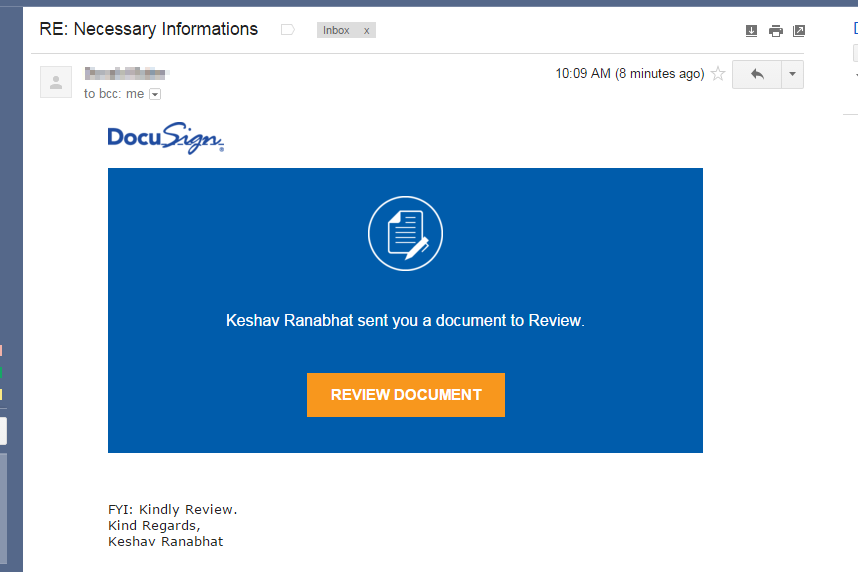
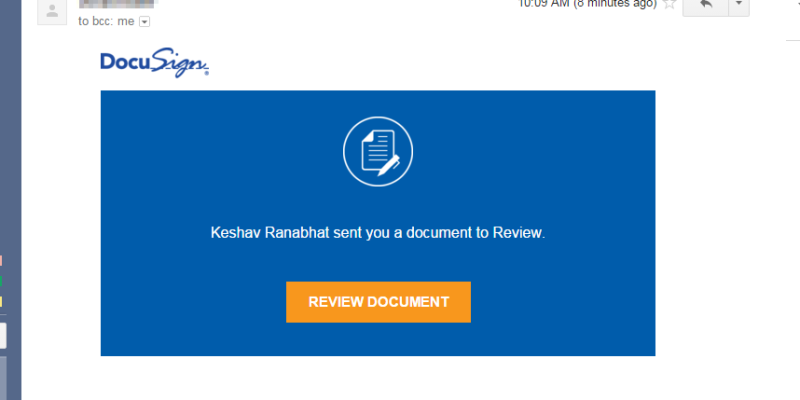
Ok, so back to the tips. How do you spot a fake email? I’ve made some screenshots from an email that I received. The email appeared to come from a friend, so he may have given his information out to the bad guys first.
Let’s look at the original email:
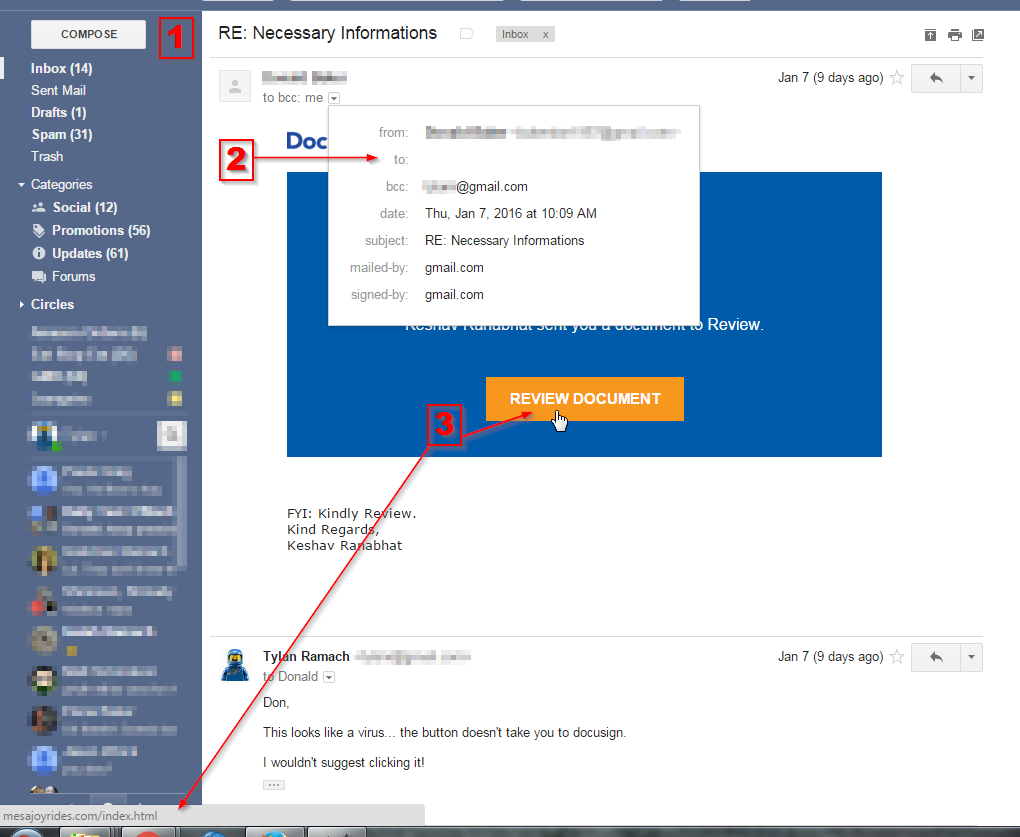
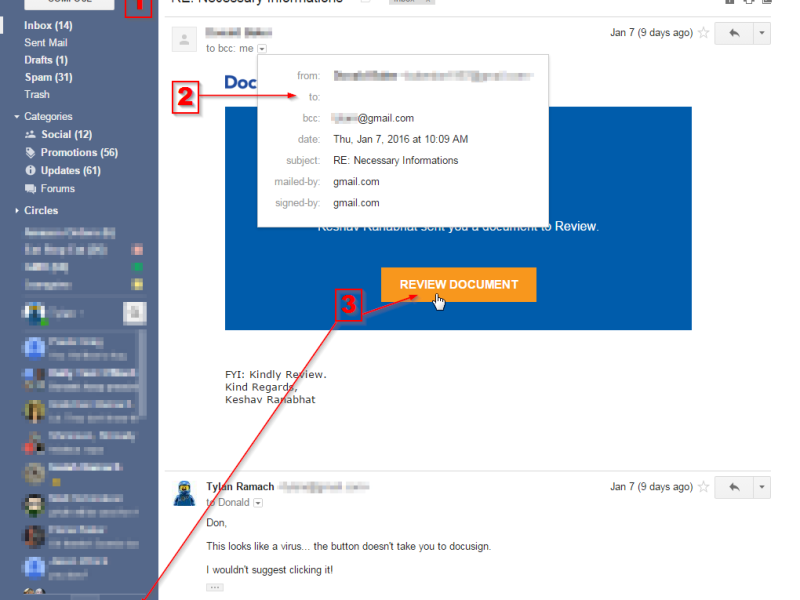
Here’s what is wrong (numbers match the picture):
- Look for spelling and grammar errors. Often times the bad guys don’t speak English as their native language. Spelling errors in phishing emails seem pretty common. “RE:Necessary Informations” sounds off to me. Red flag!
- View the details of the From, To, CC, BCC. In Gmail I clicked the show details drop down. I saw that my name was not in the to box. This tells me this is is probably SPAM or in this case something worse. Red Flag!
- Hover over buttons or links and see where your browser is going to take you. Don’t click! This message obviously is going to take me to a website that is different than what the message claims. Red Flag!
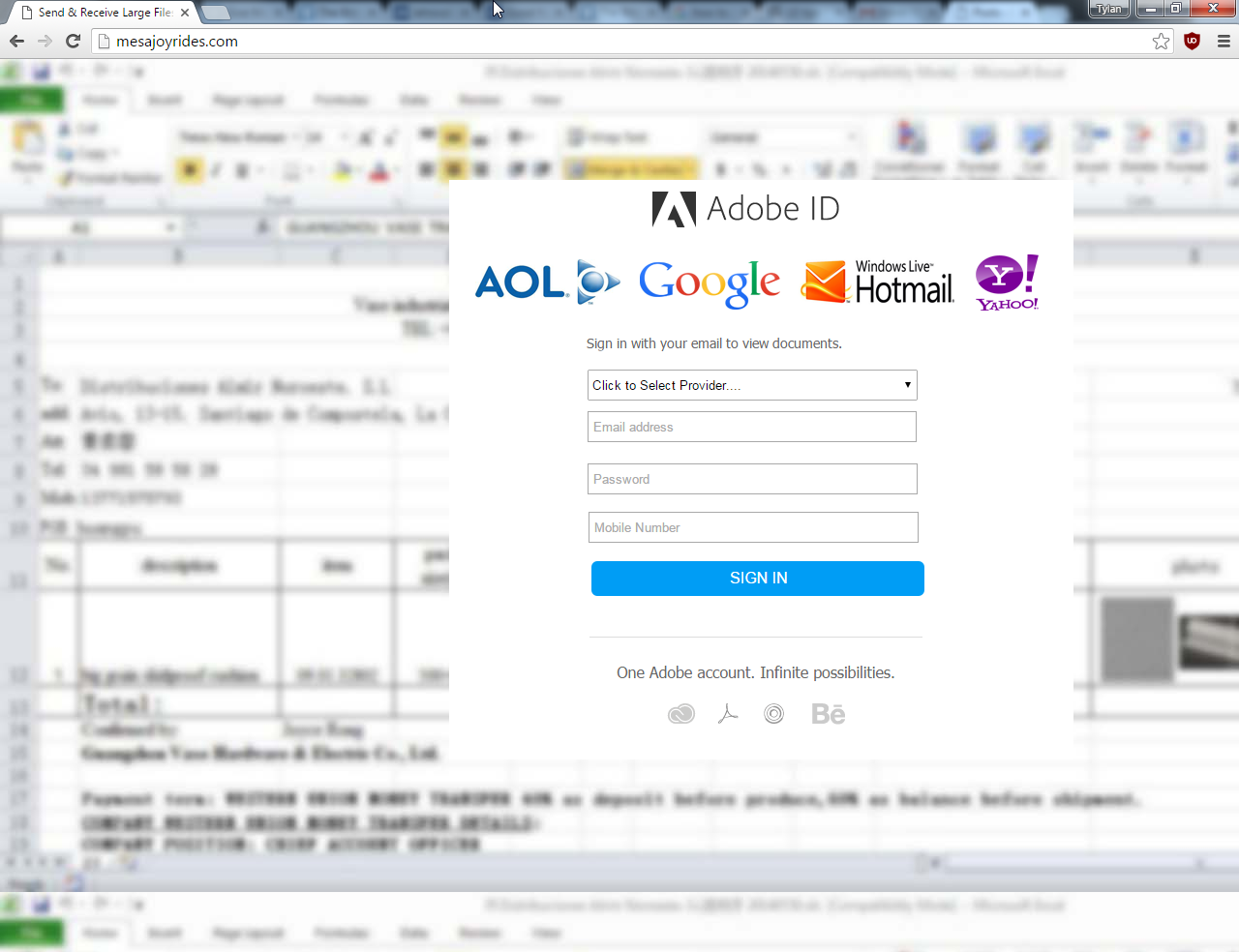
Where does the button take me?
I carefully copied the link and pasted just the domain portion. It takes me to a fake site that will gladly take any credentials – – so I can get the precious document I didn’t know I needed. The big red flag at this point is that the site will take just about any password: Google, Yahoo, Adobe ID, Hotmail, AOL or even your mobile number.
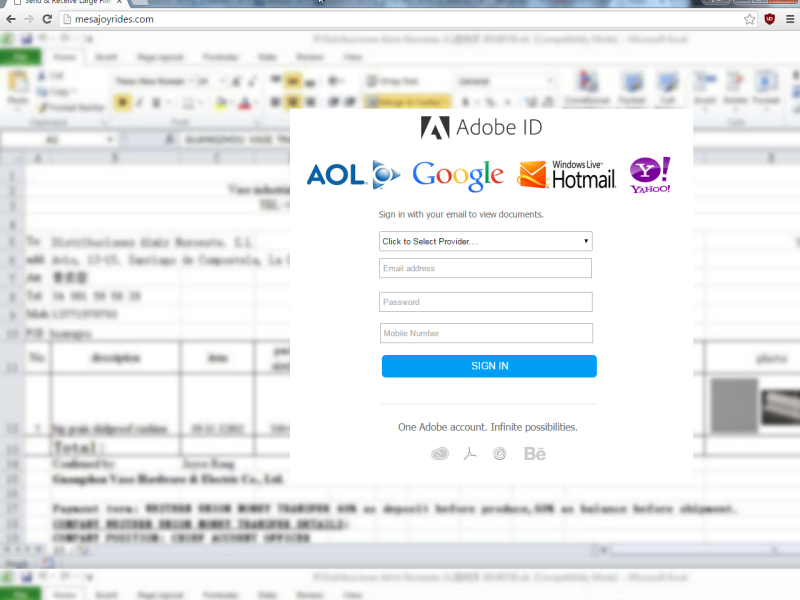
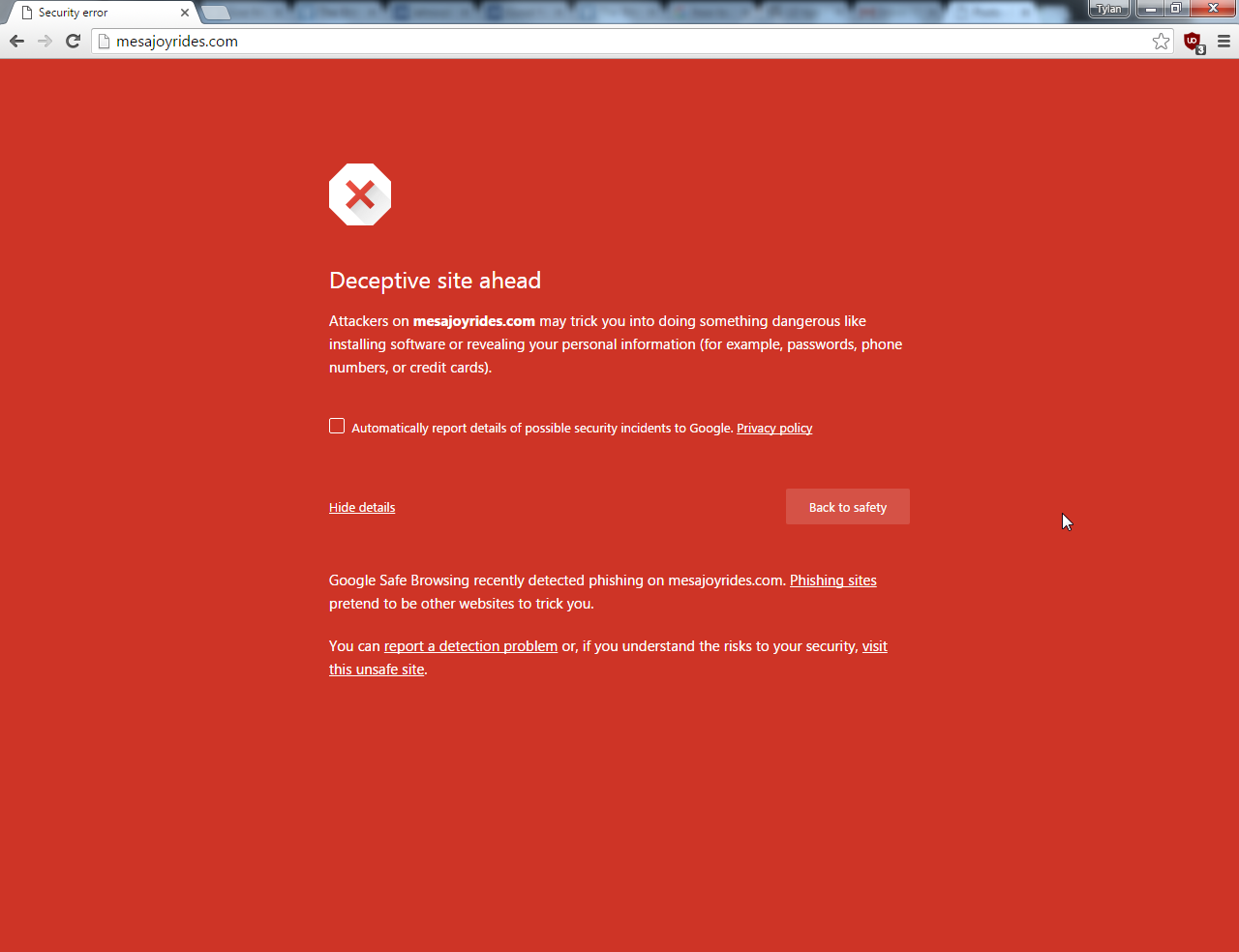
This is the site as of a week later:
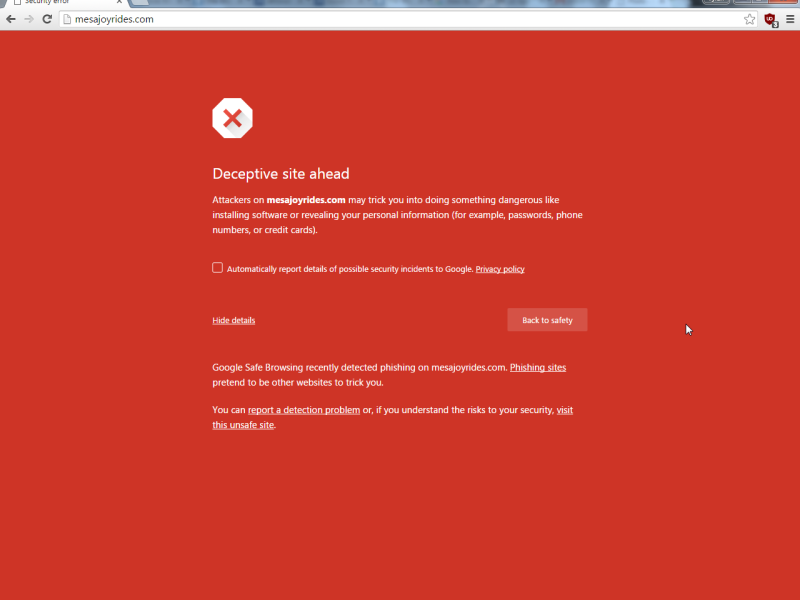
I took the time to report the site to this page: Google Safe Browsing: Report a Malware Page. I also looked into who was the domain registrar. I reported the site to GoDaddy as well. I’m sure I wasn’t the only person to report this site.
What’s the moral of this story?
You are your own best defense. So, don’t rely on any one browser to keep you safe, don’t rely on your antivirus to catch everything.
- Don’t be quick to click! Take your time and read through the email to see if it is legit.
- Spelling and grammar errors are often a give away.
- View the details of the From, To, CC, BCC.
- Hover over buttons, but don’t click! If the URL doesn’t match the email, or looks “funny” don’t click it.
- Real emails never ask for personal information. Instead it will tell you to go to your account and make the updates.
- If the email claims to be someone you have an account with: open a new browser window and visit the site directly by typing the address and NOT clicking in the email.
- If it came unsolicited, be even more suspicious.
- If the email talks about a UPS or FedEx package… ask yourself the obvious question “What package?”
- If it threatens about taxes or claims to be a government agency, you know it’s junk. To the best of my knowledge the IRS and County Tax offices do not send emails about back taxes!
- Follow your gut instinct to delete it if anything doesn’t look right. If it was real, they’ll email you again.
You can sniff out a fake email! Don’t give away your personal information to criminals!
Stay safe, it’s a jungle out there.